
Polygon Tutorial: How to Use Polygon DeFi
Polygon is one of the easiest networks to use if you want fast crypto transactions without paying high Ethereum mainnet fees.
It’s still popular for DeFi, but Polygon is now used for much more than swaps and lending. These days, it also plays a major role in real-world money movement, prediction markets, NFTs, and consumer apps.
For most individual users, the starting point is simple: use Polygon to try apps, move stablecoins, trade on prediction markets, or access DeFi with lower fees.
This guide walks through how to use Polygon today, including how to pick a wallet, get POL for gas, bridge assets, and start using Polygon apps.
What is Polygon?
Polygon is a blockchain ecosystem built to make Ethereum-style activity faster and cheaper.
Ethereum is still the main home of DeFi, but it can get expensive when the network is busy. Polygon gives users a cheaper place to do all the things you’d usually want to do on Ethereum: use apps, swap tokens, make payments, use prediction markets, and more.
When most people say Polygon, they’re usually talking about Polygon PoS – the main Polygon chain that everyday users interact with.
It’s fast, low-cost, and compatible with many Ethereum wallets. So if you’ve used MetaMask on Ethereum before, Polygon won’t feel completely foreign.
The main difference is that you’re using the Polygon PoS network instead, and gas is paid in POL instead of ETH.
Polygon is also bigger than just Polygon PoS now.
The wider Polygon ecosystem includes infrastructure like AggLayer and Polygon CDK, which are built to connect chains and help teams launch their own blockchain networks.
But for most users, Polygon PoS is still the place to start.
What you need before using Polygon PoS
Before you use Polygon, you’ll need just a few basics.
First, you’ll need a wallet that supports Polygon.
You’ll also need a little POL on Polygon PoS to pay gas fees. Polygon fees are usually tiny compared to Ethereum mainnet, but you’ll still need some POL in your wallet before you can do anything.
Lastly, you’ll need some assets to use in DeFi or apps. These could be tokens like USDC, USDT, ETH, WETH, POL, or another supported asset.
Step 1: Make sure your wallet supports Polygon
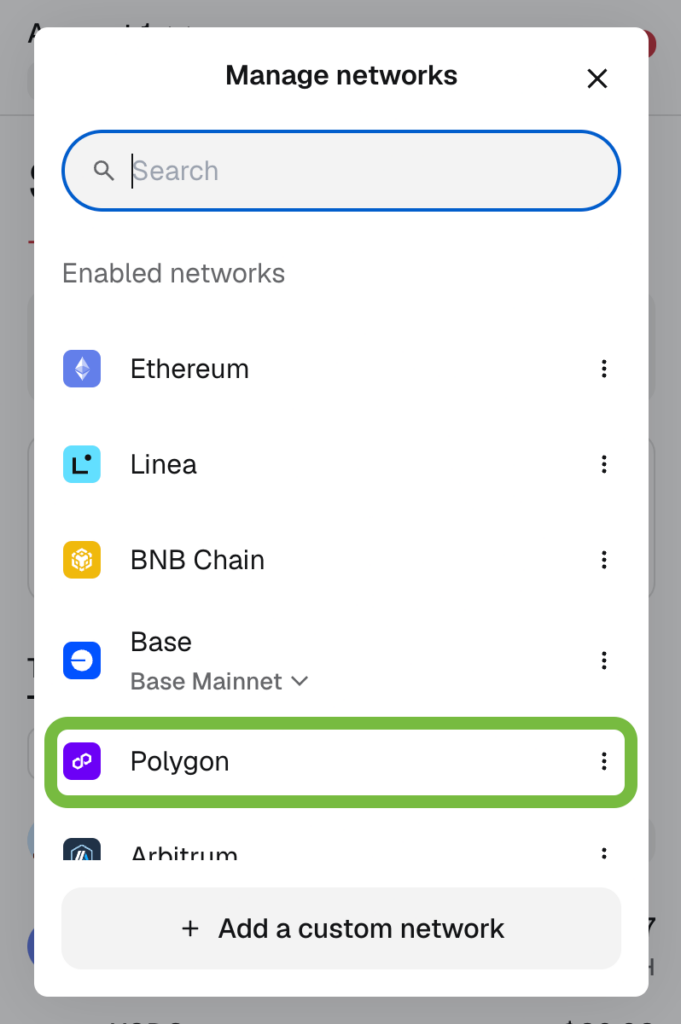
First, make sure your wallet supports Polygon PoS.
MetaMask is the most common option, but wallets like Base App (formerly Coinbase Wallet), Phantom, Trust Wallet, and other EVM-compatible wallets can also work.
In most popular wallets, Polygon is already built-in as a supported network. If it isn’t, you might need to add it manually.
That process usually looks like this:
- Open your wallet settings.
- Find the network settings or “Add network” option.
- Search for Polygon PoS or Polygon Mainnet.
- Confirm the network details.
- Save the network.
- Switch your wallet to Polygon PoS.
For MetaMask, it will already be supported as a default network, as you can see here in the screenshot.
Step 2: Get POL for gas
POL is what you use to pay transaction fees on Polygon PoS.
Think of it like ETH on Ethereum. You don’t need much for normal activity, but you do need some. Without POL you won’t be able to move tokens, swap them, approve them, lend them, or borrow against them.
There are a few ways to get POL:
- Buy POL on an exchange.
- Buy POL directly with fiat through some wallets.
- Buy POL on Ethereum and bridge it to Polygon PoS.
- Receive POL from another wallet.
The important part is the network. If you want to use Polygon DeFi, make sure your POL is actually on Polygon PoS.
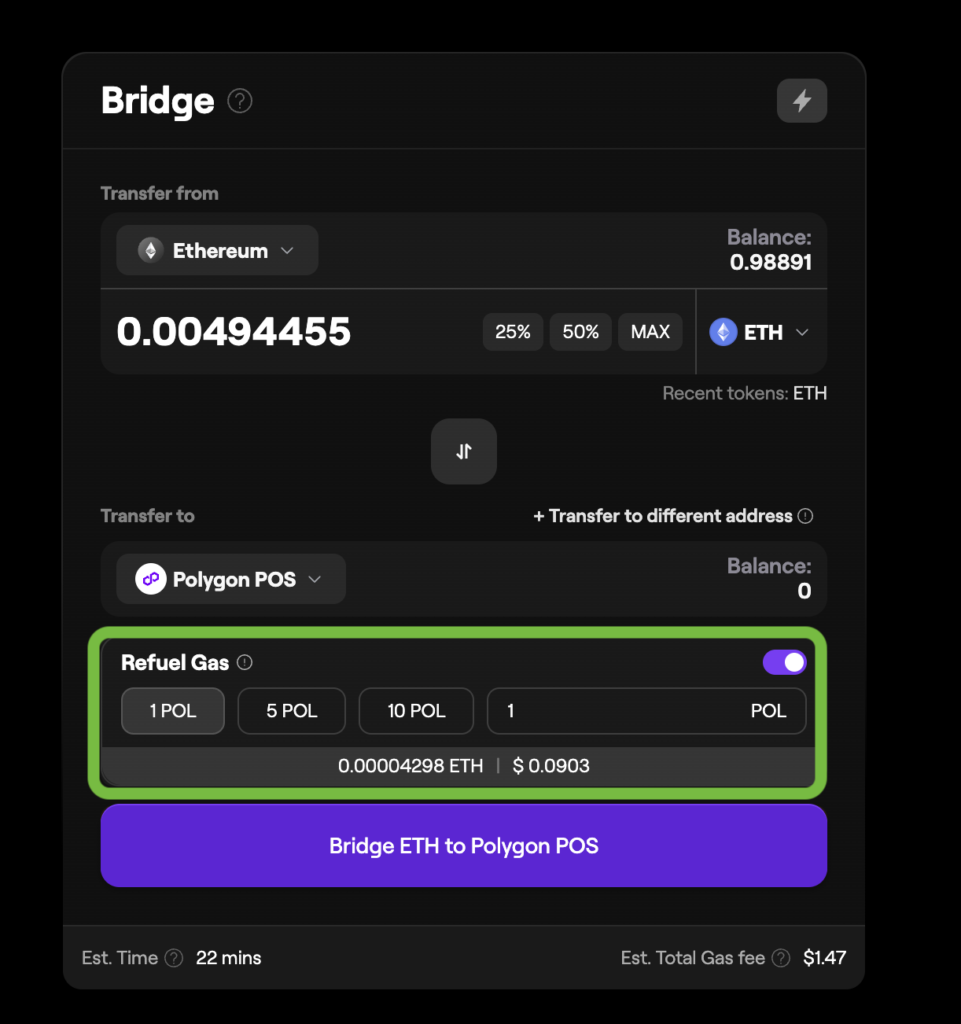
Pro tip: You can also get a small amount of POL while bridging through Polygon Portal in the next step – more on that below.
Just select the “Refuel gas” option in the Polygon Portal interface, and part of the bridge transaction can be used to add POL for gas.
Step 3: Bridge assets to Polygon
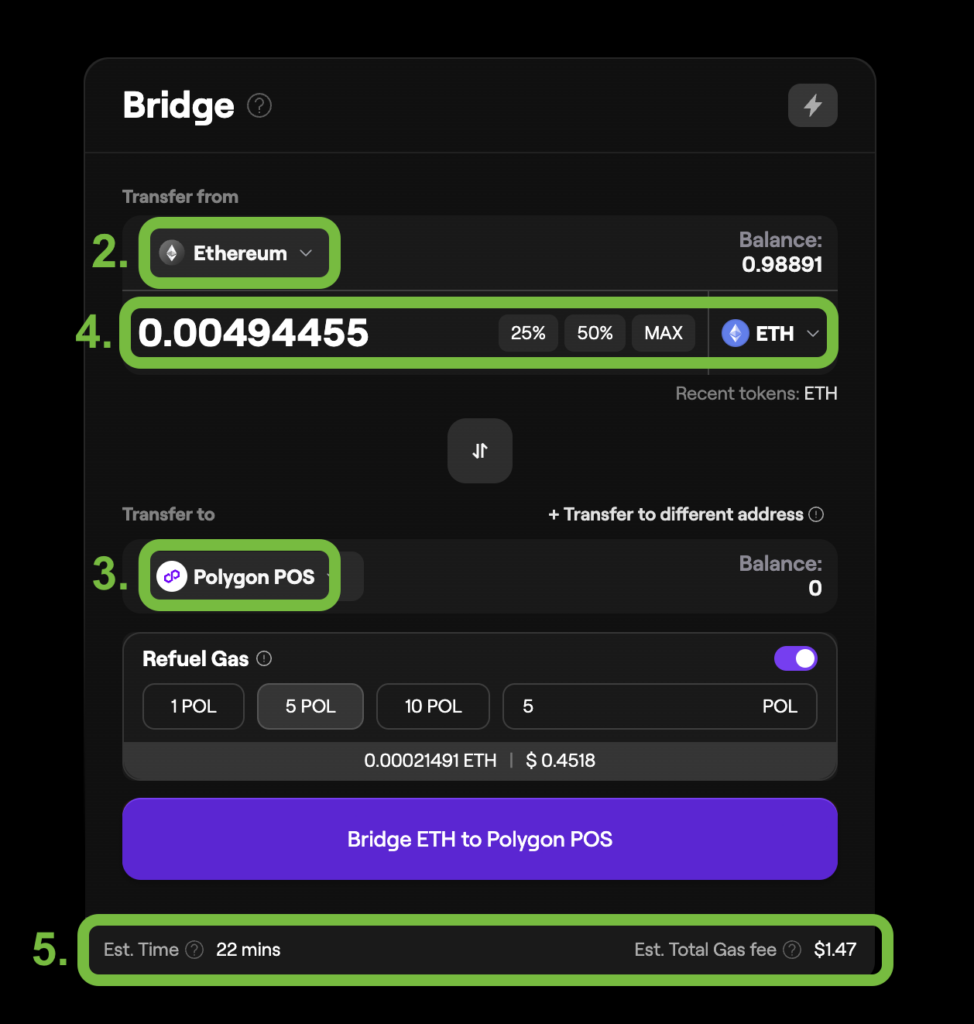
If your funds are on Ethereum mainnet, you’ll usually need to bridge them before you can use them on Polygon.
The official bridge interface is Polygon Portal. This is the main place users can move assets between Ethereum and Polygon PoS.
The basic process looks like this:
- Go to Polygon Portal and connect your wallet.
- Choose the chain you’re moving funds from (Ethereum).
- Choose Polygon PoS as the destination chain.
- Select the token and amount you want to bridge.
- Review the fees, route, and estimated arrival time.
- Confirm the transaction in your wallet.
- Switch to Polygon PoS and check your balance, once the bridge is complete.
Reminder: If you don’t have POL on Polygon yet, use the “Refuel gas” option in Polygon Portal to get a small amount for gas on the other side.
Bridging from Ethereum to Polygon varies by token, route, and network traffic, but around 20 minutes is a reasonable expectation. Bridging back to Ethereum can take longer.
Third-party bridges can be faster or easier, but they add extra risk because they use separate liquidity pools, routing systems, or smart contracts.
Step 4: Use a Polygon app

Once you have assets and POL on Polygon PoS, you can start using apps.
Here’s how that usually looks:
- Go to the app’s official website.
- Switch your wallet to Polygon PoS.
- Connect your wallet.
- Choose what you want to do.
- Review any transactions carefully.
Polygon’s low fees are a big plus here.
On Ethereum mainnet, a small swap, lending deposit, or app interaction can sometimes feel too expensive to bother with. On Polygon, those same types of actions are typically much cheaper.
Major Polygon use cases in 2026
Polygon isn’t just a low-cost DeFi network anymore.
In 2026, its biggest use cases have expanded to stablecoin payments, prediction markets, consumer apps, and real-world assets too.
Stablecoin payments and settlement
One of Polygon’s strongest use cases is real-world payments and stablecoin settlement.
Apps and businesses can use Polygon to move tokenized dollars quickly and cheaply – that can mean remittances, merchant payments, payroll, treasury transfers, or customer payments inside fintech apps.
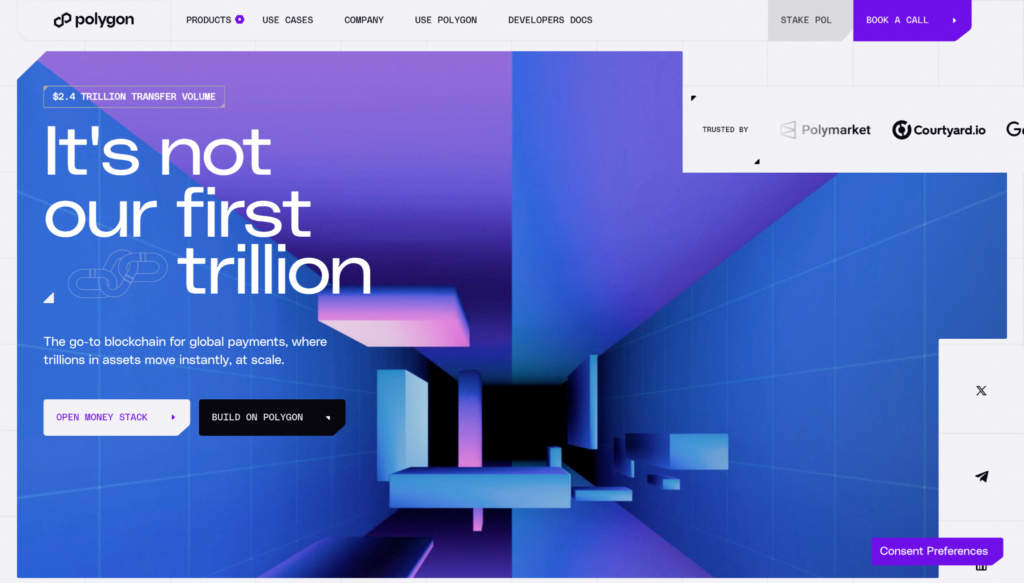
Polygon is useful here because it has low fees, fast settlement, strong uptime, broad wallet support, and payment tools like Open Money Stack.
That helps businesses plug into wallets, fiat ramps, compliance tools, liquidity, and settlement rails without building everything themselves.
The scale is already significant, with Polygon processing more than $2.4 trillion in cumulative stablecoin transfer volume to date. Its stablecoin supply on the network has also risen above $3.5 billion.
Here are some notable platforms that currently use Polygon:
- Revolut: One of Europe’s largest fintech companies, with more than $1.2 billion to $1.3 billion in cumulative stablecoin volume on Polygon for user transfers, remittances, and other payments.
- Paxos: Processed $1.3 billion in volume across tens of thousands of transactions on Polygon, with total gas fees under $700.
- Visa: Partners can now settle stablecoin transactions on Polygon.
Polygon has also been tied into payment-related integrations with companies like Stripe, Mastercard, and others, covering use cases like cross-border payments, treasury management, payroll, and merchant settlement.
To support this, Polygon offers Open Money Stack, a set of business tools for wallets, fiat on- and off-ramps, compliance, liquidity, and settlement.
In a nutshell, it helps companies connect traditional finance with on-chain stablecoin payments.
Polymarket and prediction markets
Polymarket is one of Polygon’s biggest consumer app success stories.
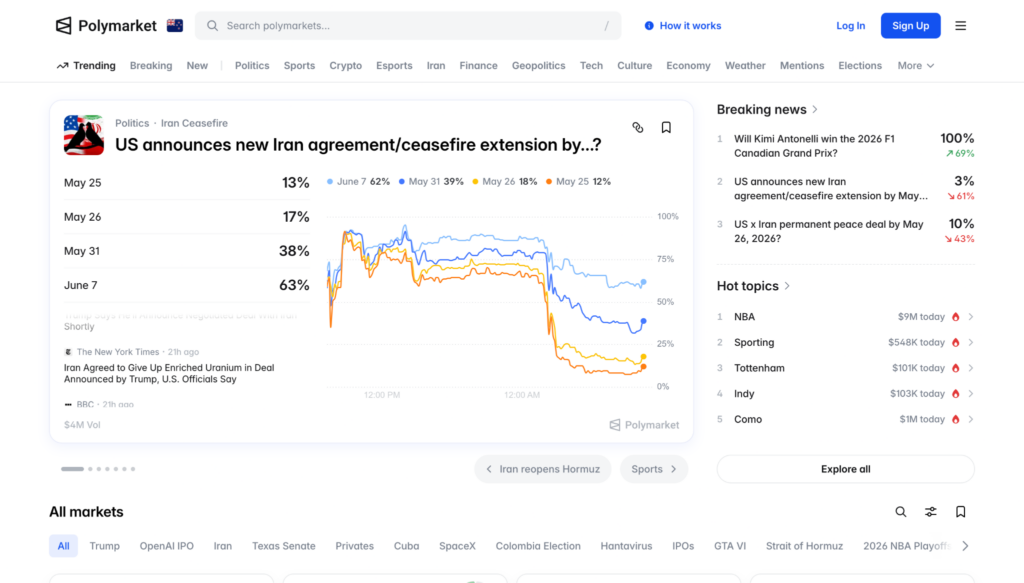
It’s a prediction market where users trade on real-world outcomes, including politics, crypto, sports, economics, culture, and live news.
Polymarket runs on Polygon PoS because prediction markets need cheap, fast, high-volume transactions. Users may place lots of small trades, update positions, or react quickly as new information comes in. Polygon’s low fees make that much easier.
In late 2025, Polymarket became the largest app on Polygon by trading volume, reportedly handling about $3.7 billion in 30-day volume and outranking QuickSwap and Uniswap on the network.
Availability depends on where you live, so check whether Polymarket is available in your jurisdiction before using it.
DeFi apps
Polygon is still heavily used for DeFi.
If you’re using Polygon as a DeFi user, these are some of the main apps you’re likely to come across:
QuickSwap
QuickSwap is a Polygon-native decentralized exchange.
It’s one of the long-running DeFi apps in the Polygon ecosystem and offers swaps, liquidity pools, and other DeFi features.
Aave
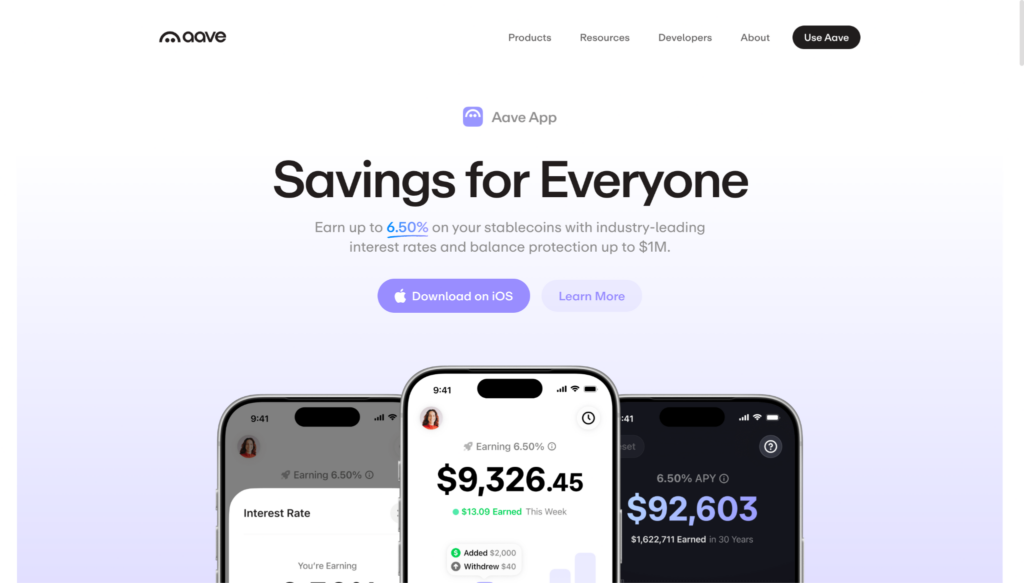
Aave is a lending and borrowing protocol.
You can deposit supported assets, earn variable yield, and borrow against your collateral. That can be useful if you want liquidity without selling your crypto, but borrowing comes with liquidation risk.
If your collateral drops too much in value, part of your position can be liquidated.
Uniswap
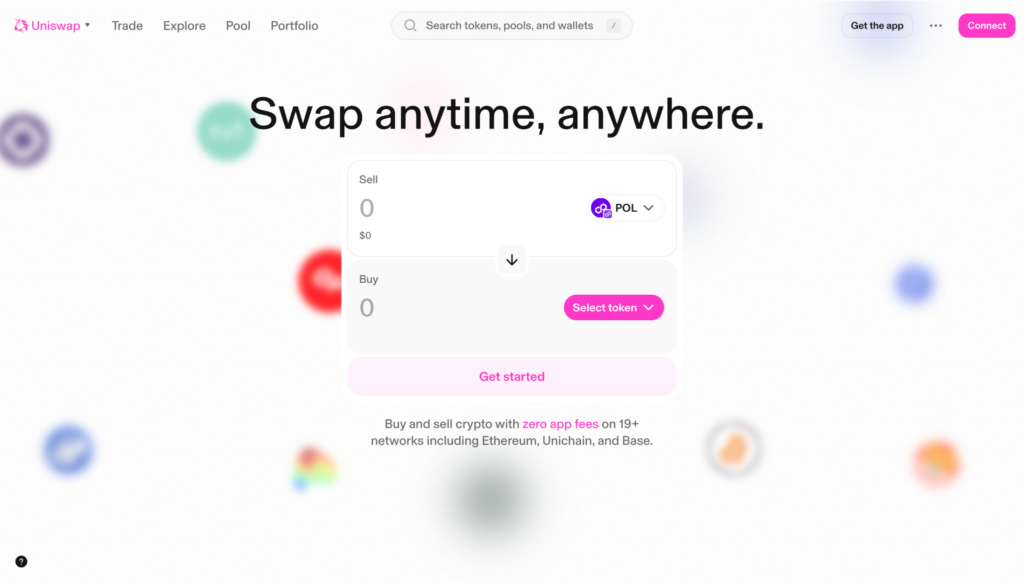
Uniswap is one of the best-known decentralized exchanges.
It lets users swap tokens directly from their wallet. Uniswap supports multiple chains, including Polygon, which makes it a common place to trade Polygon-based assets.
How to stake Polygon (POL)
POL can be staked to help secure Polygon PoS and earn staking rewards.
The easiest place to start is the official Polygon staking dashboard. From there, users can choose between a few options:
Option 1: Delegate POL to a validator
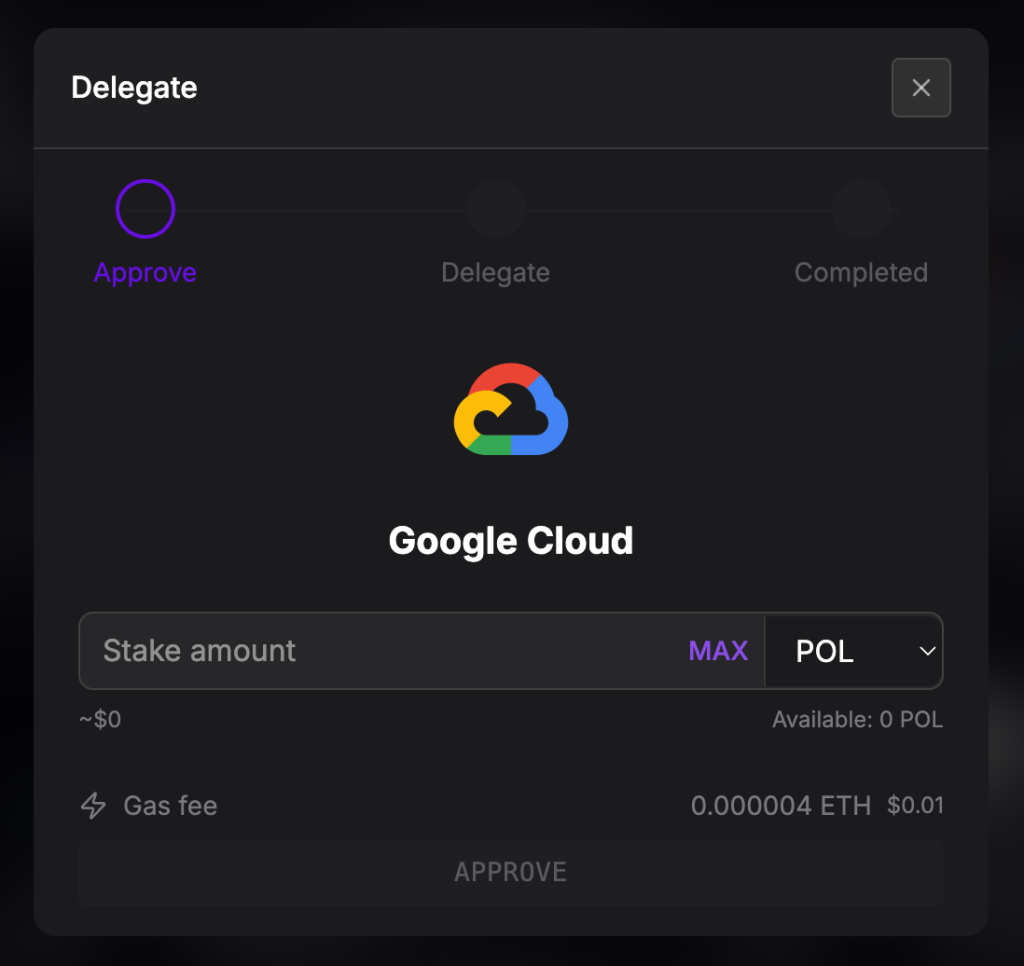
This is the standard option for most users. You choose a validator, delegate your POL, and earn rewards if they perform well.
You still keep ownership of your POL, but your stake helps that validator secure the network. Just check their fees, uptime, and reputation first.
This option uses POL on Ethereum, so Ethereum gas fees can apply.
Option 2: Liquid stake POL with sPOL
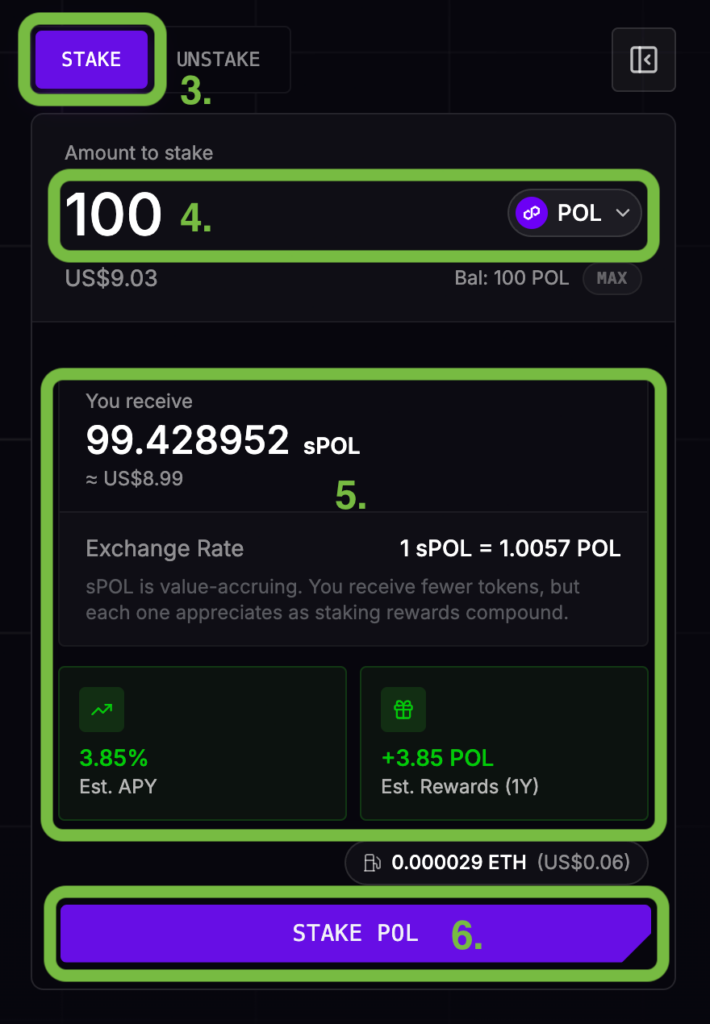
The more flexible option. You stake POL on Polygon PoS and receive sPOL, a liquid staking token that represents your staked position. This can be useful in DeFi, but it adds smart contract and liquidity risk.
Here’s how to liquid stake your POL:
- Go to Polygon’s official staking page.
- Connect your wallet.
- Choose “Stake.”
- Enter the amount of POL you want to stake (and on which network).
- Review the estimated APY and exchange rate
- Click “Stake POL.”
- Confirm the transaction in your wallet.
Note: Lido used to support third-party Polygon liquid staking through stMATIC, but this is no longer available.
Lido stopped new Polygon staking through its UI on December 16, 2024, and ended frontend withdrawal support on June 16, 2025.
Option 3: Run a validator
This is the most advanced option, and it’s not something most users need to worry about.
Running a validator means helping operate the Polygon PoS network directly, instead of simply staking through someone else.
You’ll need to run the required software, keep your validator online, maintain secure infrastructure, and understand the technical setup.
It can offer more control, but it also comes with more responsibility. If your validator goes offline or behaves incorrectly, you may miss rewards or face penalties.
For most users, delegating POL or using liquid staking is much simpler.
Is Polygon PoS an Ethereum L2?
Polygon PoS looks and feels a lot like an Ethereum L2 – but technically it isn’t one.
The big difference lies in who secures the network.
A real Ethereum L2, like Arbitrum, Optimism, or Base, is built more directly on top of Ethereum. It processes transactions more cheaply away from Ethereum, then sends important data, proofs, or commitments back to the Ethereum chain.
Ethereum acts like the final judge.
Polygon PoS works differently. It is its own chain – it has its own validators, its own blocks, and its own security setup.
It still connects back to Ethereum through bridges and checkpoints, but Ethereum isn’t checking every Polygon PoS transaction in the same direct way it checks rollups.
| Polygon PoS | Ethereum L2 rollups |
| Its own Ethereum-compatible chain | Built more directly on Ethereum |
| Secured mainly by Polygon validators | Secured by Ethereum |
| Uses POL for gas | Usually use ETH for gas |
| Connects to Ethereum through bridges and checkpoints | Send data, proofs, or commitments back to Ethereum |
| Fast and low-cost | Fast, low-cost, and more directly tied to Ethereum security |
From a user’s point of view, though, Polygon PoS can feel very similar to an L2.
You can still use popular wallets like MetaMask, you still connect to DeFi apps, and you still bridge from Ethereum. Transactions are also cheap and fast.
What are AggLayer and Polygon CDK?
Polygon isn’t just a single low-fee chain anymore.
One of Polygon’s bigger goals is to make different blockchain networks feel more connected.
That’s where AggLayer and Polygon CDK come in:
- Polygon CDK is the chain-building toolkit. It helps developers, companies, and institutions launch their own Polygon-connected chains using Polygon infrastructure.
- AggLayer is the connection layer. It’s designed to help those chains connect, share liquidity, and move assets more smoothly between ecosystems.
If you’re familiar with the Optimism ecosystem, a loose comparison is Optimism’s OP Stack and Superchain. Polygon’s version is built around CDK chains, ZK infrastructure, and AggLayer.
Most everyday users don’t need to use AggLayer or CDK directly, but they’re a good demonstration of where Polygon is heading.
The platform isn’t just trying to be a cheaper place to swap tokens – it’s also trying to become infrastructure for connected apps, payments, institutions, and custom blockchains.
What happened to Polygon zkEVM?
Polygon zkEVM was built as a zero-knowledge Ethereum scaling network.
It was designed to make Ethereum-style transactions cheaper using ZK proofs, but the Polygon zkEVM Mainnet Beta was shut down on July 1, 2026, after Polygon gave 12 months’ notice.
If users held assets directly in their own zkEVM wallet, those funds were migrated to Ethereum and can be claimed through a dedicated claim interface until December 31, 2027.
On the other hand, funds left inside DeFi protocols, multisigs, or bridges on zkEVM at the time of the shutdown can’t be recovered.
Polygon risks to understand
Polygon is useful, but it isn’t risk-free.
Here are some of the key risks you might face when using the Polygon network:
- Bridge risk: Moving funds between chains adds extra risk. Stick to trusted bridges and avoid random links from ads or social media.
- Network risk: Polygon PoS is not secured by Ethereum in the same direct way as true L2 rollups. It has its own validator network.
- Wrong-network risk: Tokens can exist on different chains. Always check that you’re using Polygon PoS before sending or withdrawing funds.
- Gas token risk: You need POL on Polygon PoS to make transactions. Without it, your tokens may be visible but stuck.
- Smart contract risk: DeFi apps can have bugs, exploits, or bad updates. This applies across DeFi, not just Polygon.
- Approval risk: Token approvals let apps access your tokens. Only approve apps you trust, and clean up old approvals when needed.
- Borrowing risk: If you borrow against crypto and the market moves against you, your collateral can be liquidated.
- Token risk: Some tokens on Polygon may be illiquid, volatile, or scams. Be careful with unknown tokens and links shared online.
To stay on the safe side, use trusted apps, check the network carefully, keep a little POL for gas, and don’t approve anything you don’t understand.
Polygon Conclusion
Polygon has moved well beyond its early role as a cheaper place to use DeFi, now catering to large-scale stablecoin payments, fintech integrations, prediction markets, and more.
For everyday users, it’s still useful for the basics: swapping tokens, moving stablecoins, trying apps, using prediction markets, and avoiding high Ethereum mainnet fees.
The setup’s also pretty simple once you know the key pieces. Just use a Polygon-compatible wallet, keep some POL for gas, and bridge through Polygon Portal if your funds are on another chain.
Polygon is no longer just a cheaper way to use DeFi – it’s becoming one of crypto’s main platforms for everyday money movement.
Polygon FAQ
You need POL for gas on Polygon PoS.
POL replaced MATIC as the native gas and staking token for Polygon PoS in September 2024.
Polygon PoS now uses POL for gas and staking rewards.
MATIC can still appear in some interfaces, especially around traditional staking. Users can still delegate MATIC to validators, but rewards are paid in POL.
Polygon Portal is Polygon’s official bridge. It lets users move assets between Ethereum and Polygon PoS.
Not in the strict rollup sense.
Polygon PoS feels similar to an Ethereum L2, but it’s better described as an Ethereum-compatible sidechain.
That’s because it has its own validator network and different security assumptions from rollups like Arbitrum, Optimism, or Base.
Polygon is useful for stablecoin payments because it’s fast, cheap, widely supported, and built for high-volume activity.
That makes it useful for remittances, app transfers, payroll, treasury movement, merchant settlement, and cross-border payments.
Yes. Polymarket uses Polygon PoS infrastructure, which helps keep trading activity fast and low-cost.
Availability depends on where you live, so check whether Polymarket is available in your jurisdiction before using it.
No, Lido has sunset its Polygon staking product.
Any new staking through the Lido on Polygon UI has been unavailable since December 2024, and frontend withdrawal support ended in June 2025.